Apple Watch Ultra 4
FirstNet Ready® - 5G capable device1
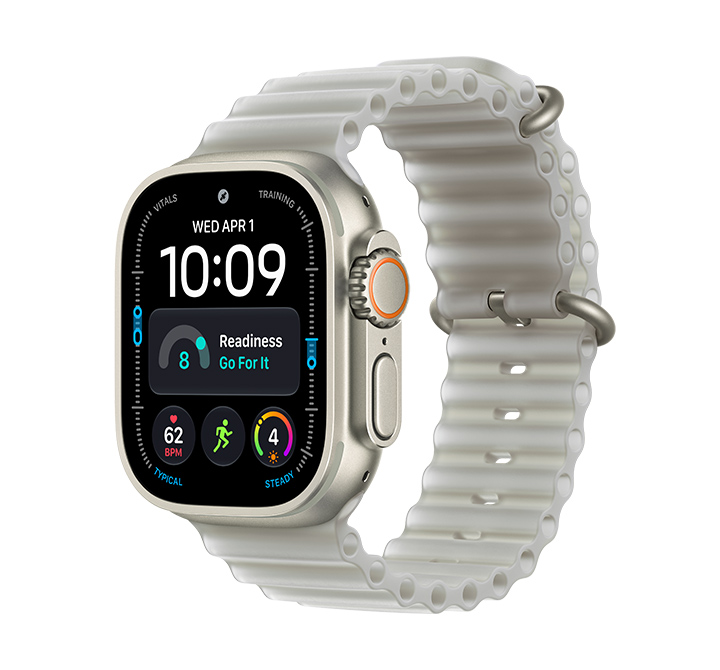
1. The devices are FirstNet Ready® on our 4G LTE network, which means they’ve been tested and approved to operate on the dedicated FirstNet network core. Additionally, this is compatible with FirstNet 5G services, including access to AT&T 5G Sub-6 mid-band spectrum. FirstNet 5G service requires a FirstNet SIM, FirstNet certified device, FirstNet 5G rate plan and no Custom APN. FirstNet 5G service is available in select cities and limited locations; learn more about the FirstNet commitment to network investments.
2. Based on Apple-conducted study of heart rate accuracy, August 2026. Visit apple.com/HRAccuracy.
3. Battery life varies by use and configuration. See apple.com/watch/battery for more information.
4. Apple Intelligence is available with Siri and device language set to Chinese (Simplified), Chinese (Traditional), Danish, Dutch, English, French, German, Italian, Japanese, Korean, Norwegian, Portuguese, Spanish, Swedish, Turkish, or Vietnamese. Some features may not be available in all regions or languages. Some devices may not be available in all regions. Siri AI is available in beta in watchOS 27 and requires an Apple Intelligence–enabled device set to a supported language. Available in English to start. Siri AI will not be initially available in the EU on watchOS. Certain Apple Intelligence features that rely on server-side models are subject to daily usage limits, including but not limited to Siri AI. Daily limits may vary by feature, request complexity, system demand, system policies, and other factors. Expanded access to such features will be available for a fee in the future. Use of these features is subject to the Apple Intelligence Terms and Conditions. Learn more at apple.com/apple-intelligence.
5. Audio Intelligence includes Live Rewind, Siri Recap, Sound Recognition, and faster Shazam and requires Apple Watch Series 12 or Apple Watch Ultra 4. Live Rewind and Siri Recap will be available in beta in late 2026 and require an Apple Intelligence–enabled iPhone 16 or later (excluding iPhone 16e). Will be available in English to start and will not initially be available in the EU. Certain Audio Intelligence features that rely on server-side models are subject to daily usage limits, including but not limited to Live Rewind and Siri Recap. For more information, visit support.apple.com/148354.
6. Workout tested without iPhone and with heart rate sensor on during outdoor run workout sessions. Extended Workout turns on Low Power Mode during the workout; running form metrics will be unavailable. Max Extended Workout turns on Low Power Mode during the workout, and turns off alerts and splits; certain metrics will be unavailable. Testing conducted by Apple in July and August 2026 using preproduction Apple Watch Ultra 4; all devices tested with prerelease software. Battery life varies by use, configuration, cellular network, signal strength, and many other factors; actual results will vary.
7. Testing conducted by Apple in July and August 2026 using preproduction Apple Watch Ultra 4 paired with an iPhone; all devices tested with prerelease software, preproduction Apple Watch Magnetic Fast Charger to USB-C Cable (Model A3277), and Apple 20W USB-C Power Adapter (Model A2305). Charge time varies with adapter, region, settings, initial battery levels, usage, and environmental factors; actual results will vary.
8. The Vitals app is for wellness purposes only and not for medical use.
9. The Cycle Tracking app should not be used for birth control or to diagnose a health condition. Cycle deviation notifications inclusive of perimenopause are for people 40 years old or older.
10. The Blood Oxygen app is for wellness purposes only and not for medical use. Measurements are calculated and viewed on iPhone in the Health app. The Blood Oxygen app is available on Apple Watch Series 6 and later (excluding Apple Watch SE models) and all Apple Watch Ultra models.
11. Emergency SOS requires a satellite connection, cellular connection, or Wi-Fi calling with an internet connection from your Apple Watch or nearby iPhone. You can use cellular models of Apple Watch to make an emergency call in many locations, provided that cellular service is available. Some cellular networks may not accept an emergency call from your Apple Watch if your Apple Watch isn’t activated, if it isn’t compatible with or configured to operate on a particular cellular network, if it isn’t set up for cellular service, or if the cellular network does not support emergency calling over IMS. See support.apple.com/108374 and apple.com/watch/cellular for more information.
12. Emergency SOS, Find My, and Messages via satellite are included for free for two years with the activation of Apple Watch Ultra 3 or later. Connection and response times vary based on location, site conditions, and other factors. Find My and Messages via satellite require a carrier plan. To send and receive SMS from cellular models of Apple Watch over satellite, your paired iPhone must be powered on and connected to Wi-Fi or an active cellular network, but your iPhone doesn’t need to be nearby. SMS message rates may apply. Satellite connectivity provided by Globalstar and its affiliates. See support.apple.com/123924 for more information.
13. Apple Watch Series 2 and later and Apple Watch SE and later have a water resistance rating of 50 meters under ISO standard 22810:2010. This means that they may be used for shallow-water activities like swimming in a pool or ocean. Series 10 and later can also be used for snorkeling to 6 meters. However, they should not be used for scuba diving, waterskiing, or other high-velocity water sports. Apple Watch Ultra models have a water resistance rating of 100 meters under ISO standard 22810:2010. They may be used for recreational scuba diving (with compatible third-party app from the App Store) to 40 meters and high-speed water sports. They should not be used below 40 meters. Water resistance is not a permanent condition and can diminish over time. For more information, see support.apple.com/109522. Apple Watch Series 8 and later and Apple Watch Ultra models are rated IP6X dust resistant.
14. Wireless service plan required for cellular service. Contact your service provider for more details. Connection may vary based on network availability. Check apple.com/watch/cellular for participating wireless carriers and eligibility. See support.apple.com/HT207578 for additional setup instructions.
LEARN ABOUT AMERICA'S PUBLIC SAFETY NETWORK
Get connected
By clicking Submit, you consent to AT&T sending you email about FirstNet services, products and offers at the address you provide, even if you have previously opted out of receiving AT&T marketing emails.
By clicking Submit, you consent to AT&T sending you email about FirstNet services, products and offers at the address you provide, even if you have previously opted out of receiving AT&T marketing emails.